
Invoices filed with URA, straight from your system.
Every invoice, credit note and debit note is checked, signed and filed the moment your system raises it. No fiscal device, nothing to install.
Book a demonstration Watch the 2-minute demo
Take the tour See what it costs
Filing for Ugandan taxpayers since September 2026. Built by SACC Software, Mbarara.
e-Invoice / Tax invoice
Sample
TIN 1000•••••••
TIN 1001•••••••
| Item | Qty | Amount |
|---|---|---|
| Consulting services | 1 | 1,500,000 |
| Annual software licence | 1 | 900,000 |
| Training, per day | 2 | 600,000 |
- Net
- 3,000,000
- VAT 18%
- 540,000
- Gross (UGX)
- 3,540,000
URA information
Fiscal document no. 3201 4400 0012 87
Verification code 4521 8834 0019 6623
Issued 02/10/2026 09:41
Do you need a fiscal device? Probably not.
Fiscal devices are made for shop counters. If you already bill from a system, you connect to EFRIS system to system; URA’s “device number” is a reference, not a machine.
Source: Uganda Revenue Authority, EFRIS.
How do you raise invoices today?
System to system. No device.
Your system sends each invoice to EFRIS and gets the fiscal document number back. That is ERP2.0 Connect.
A fiscal device, or a connected till.
URA’s fiscal device suits counters. Running a point-of-sale system? SACC’s EFRIS-enabled POS can file instead.
URA’s own tools, or a system of your own.
URA’s web portal suits small businesses: under 100 transactions a day, sales under UGX 2 billion a year. Outgrowing it? SACC’s accounting software files as you invoice.
URA’s five modes, side by side
| Mode | Suited to |
|---|---|
| Electronic fiscal device | Shops and counters |
| Mobile app | Small traders on the move |
| Desktop software | Small offices without a billing system |
| Web portal | Fewer than 100 transactions a day, sales below UGX 2 billion a year |
| System to system | Firms that invoice from an accounting or ERP system |
What happens to an invoice
-
Your system raises it.
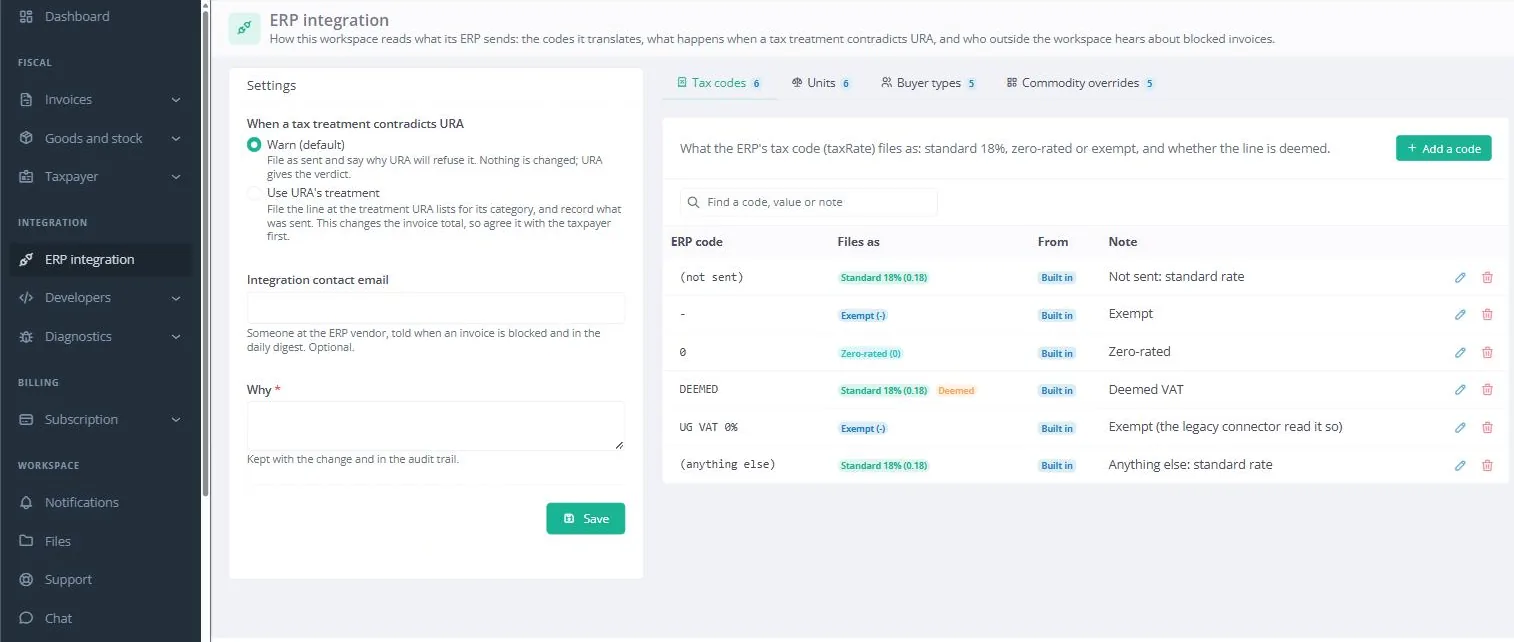
In its own codes, as it does today. Nothing changes for your accounts team.
-
We translate and check it.
Your codes become URA’s and the buyer is looked up by TIN. A line URA would refuse is flagged before it is sent.
-
It is signed and filed.
With your private key, held encrypted. No one can read it back, not even us.
-
URA’s answer comes back.
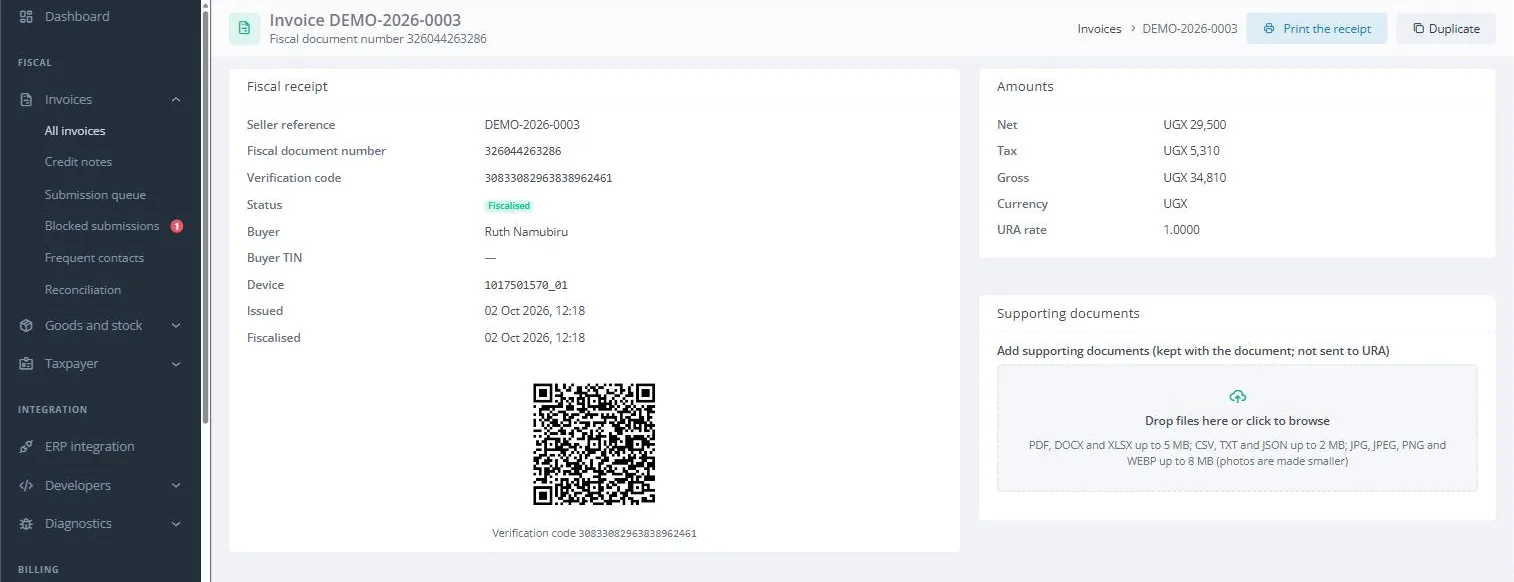
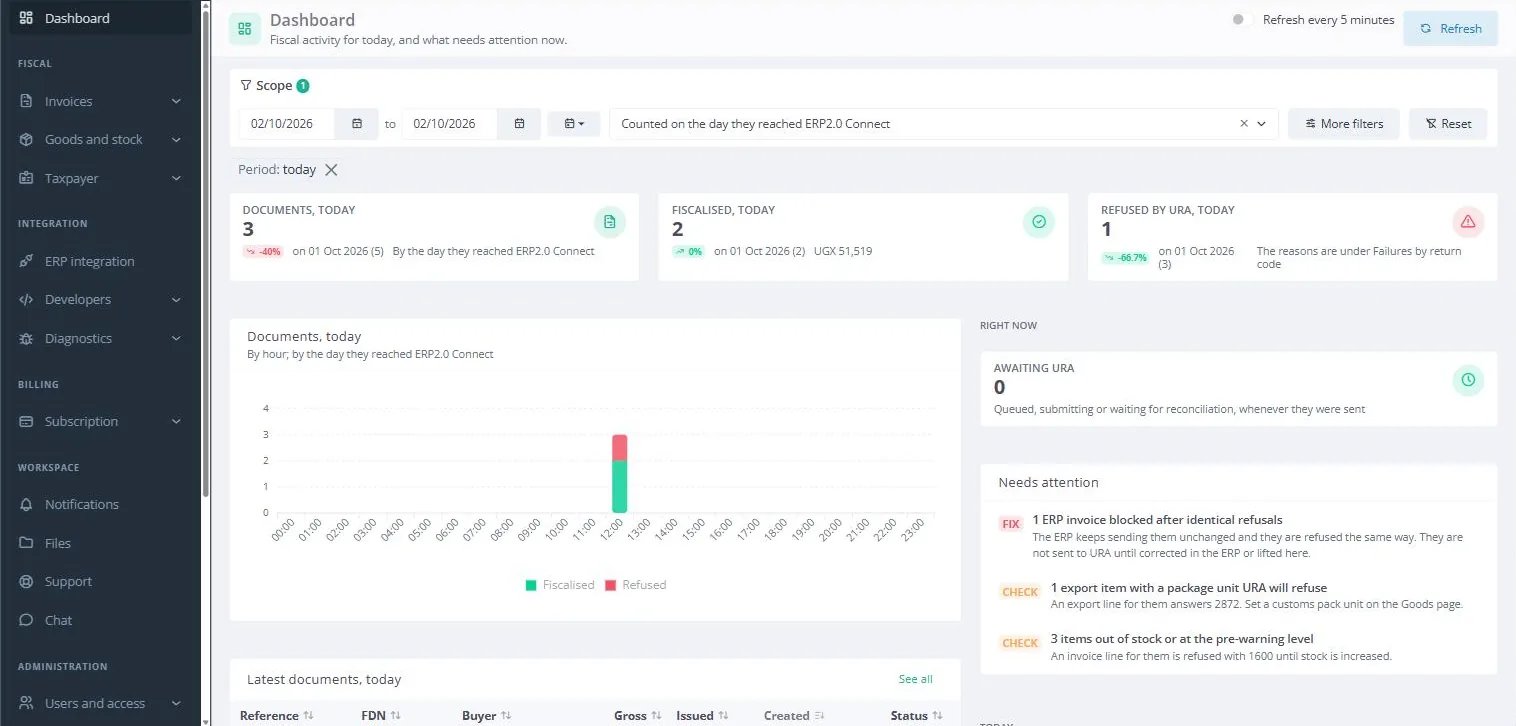
The fiscal document number, verification code and QR code. A refusal comes back in plain words.
Inside your workspace
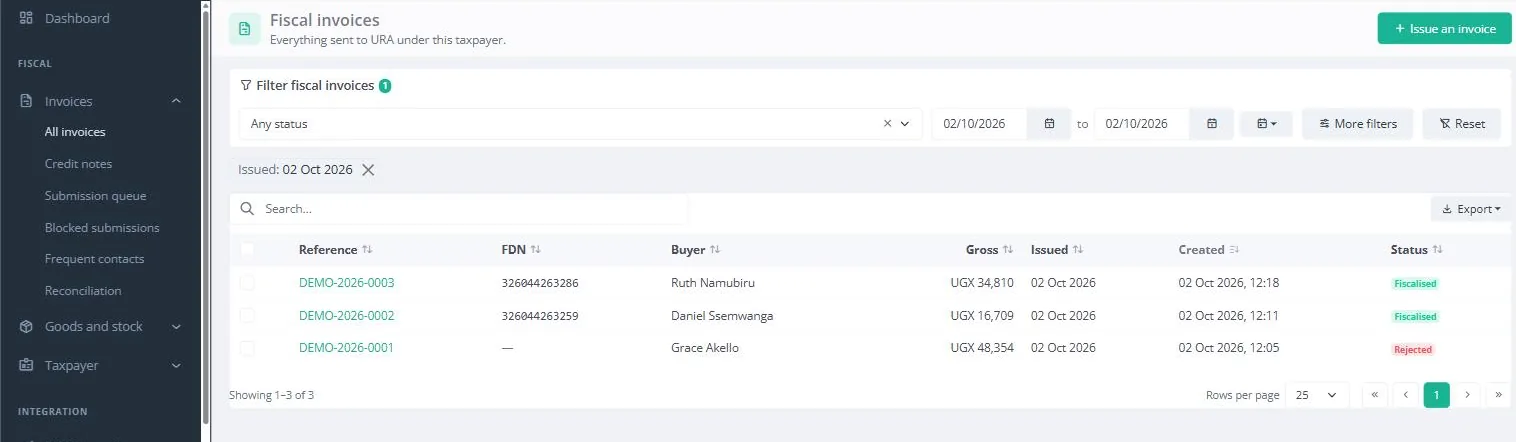
Real screens from our workspace on URA’s test system. The buyers are made up. Or take the tour: one invoice, click by click.
Swipe the screen sideways to see all of it.
What you can rely on
Every exchange kept. What was sent, what URA answered, and when. Reconciled against URA’s records.
A clean API. REST and JSON, scoped keys, and signed webhooks when URA answers.
Credit and debit notes too. Linked to the invoice they correct, as URA requires.
Your workspace, your rules. Roles, a full audit trail, and support access only on your terms.
We have built business software in Uganda since 2012. When EFRIS came in, our customers did not need a device. They needed their own system to reach URA reliably, and to hear in plain words why an invoice was refused.
That is what ERP2.0 Connect does, and we answer for it when you call.
What it costs
By the documents you issue each month. Billed yearly.
Loading current prices…
Nothing is ever refused for volume: go over your tier and you move up the next month. Prices exclude 18% VAT. Setup is quoted after a short call.
Live in about four weeks
-
Week 1
Kick-off
Companies, TINs and contacts confirmed. Workspace and test keys set up.
SACC, with you -
Weeks 1–2
URA registration
Application, key pair and certificate. URA issues your device number.
You and URA, with our guidance -
Weeks 2–3
Mapping and connection
Your codes mapped to URA’s. Your system connected to URA’s test system.
SACC and your ERP partner -
Weeks 3–4
Testing and sign-off
Invoices, credit notes and edge cases tested, then signed off.
Your finance team -
Week 4
Live
Live connection opened, first documents checked, users trained.
Together
URA’s own processing time can vary; we follow it up for you.
Questions
Something else? Call +256 753 404 044 or email support@getsacc.com.
Which accounting and ERP systems can connect?
Any system that can call a web service. Sage, Microsoft Dynamics, SAP and Odoo connect directly or through a small extension.
What happens when URA’s EFRIS is down?
A URA outage never blocks your invoices, and we tell you what we know as soon as we know it.
Is an invoice ever refused because we issued too many?
No. You are warned at 80% and 100% of your tier, and move up the next month.
Who can see our data?
Only you. Each taxpayer has its own workspace, your key can never be read back, and support sees it only on your terms.
What does URA need from us?
System-to-system registration and a key pair with its certificate registered at URA. We guide you through both.
What is the law behind EFRIS?
Sections 92 and 93 of the Tax Procedures Code Act, Cap. 343, and the E-invoicing and E-receipting Regulations, 2020. They cover all VAT-registered businesses and specified sectors.
See it with your own invoices
A live demonstration on URA’s test system, with invoices like yours.
SACC Software Limited
-
Adit House, Mbarara
P.O. Box 1144, Mbarara - +256 753 404 044
- support@getsacc.com
- www.getsacc.com